Marketplace for mums-to-be and parents of under-fives
A bank-backed marketplace where mums shop by stage, book paediatricians and O&Gs, and queue for a lactation consultant at any hour.
- SECTOR
- Retail & Rewards
- LOCATION
- Singapore
- YEAR
- 2018
- DELIVERED AS
Names and sensitive information are blurred under NDA.
The problem
A bank wanted one place in Singapore for mums-to-be and mums of children up to five: baby products, specialist doctors, lactation support, parenting articles and family finance. It had to feel warm and calm, unlike a bank, and still show that the bank stood behind it. Everything was to be organised by the mum’s stage, and her consultation data could not be used to pick products without her consent.
What we built
A website and an ops console for a bank-backed marketplace in Singapore. A mum picks her stage (pregnant, baby or toddler) and the home page follows it: the products mums at that stage bought most, the articles and the family account that fits. She books a paediatrician or O&G and joins the queue for a lactation consultant at any hour. Behind it, the bank’s ops team curates picks per stage, runs the consult queue and clinic bookings, and follows each visit through to an account opened.
Screen by screen
What we were asked to solve
Pregnant banner1 / 8
01 / 07 · 1 of 8
One choice sets the whole page
- The problem
- The bank asked for a site organised around the mum’s stage, with a home page that changes for each one.
- What we built
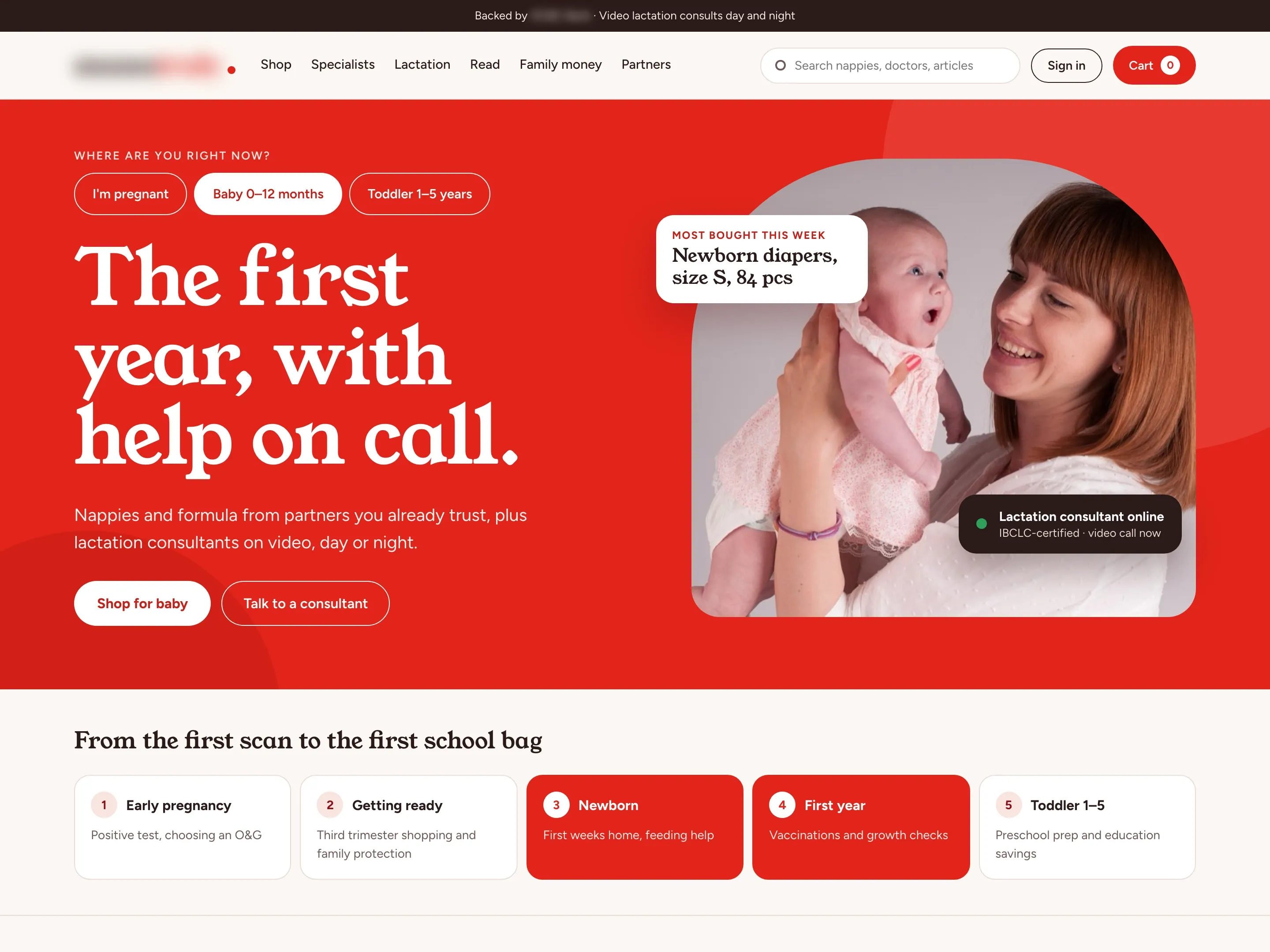
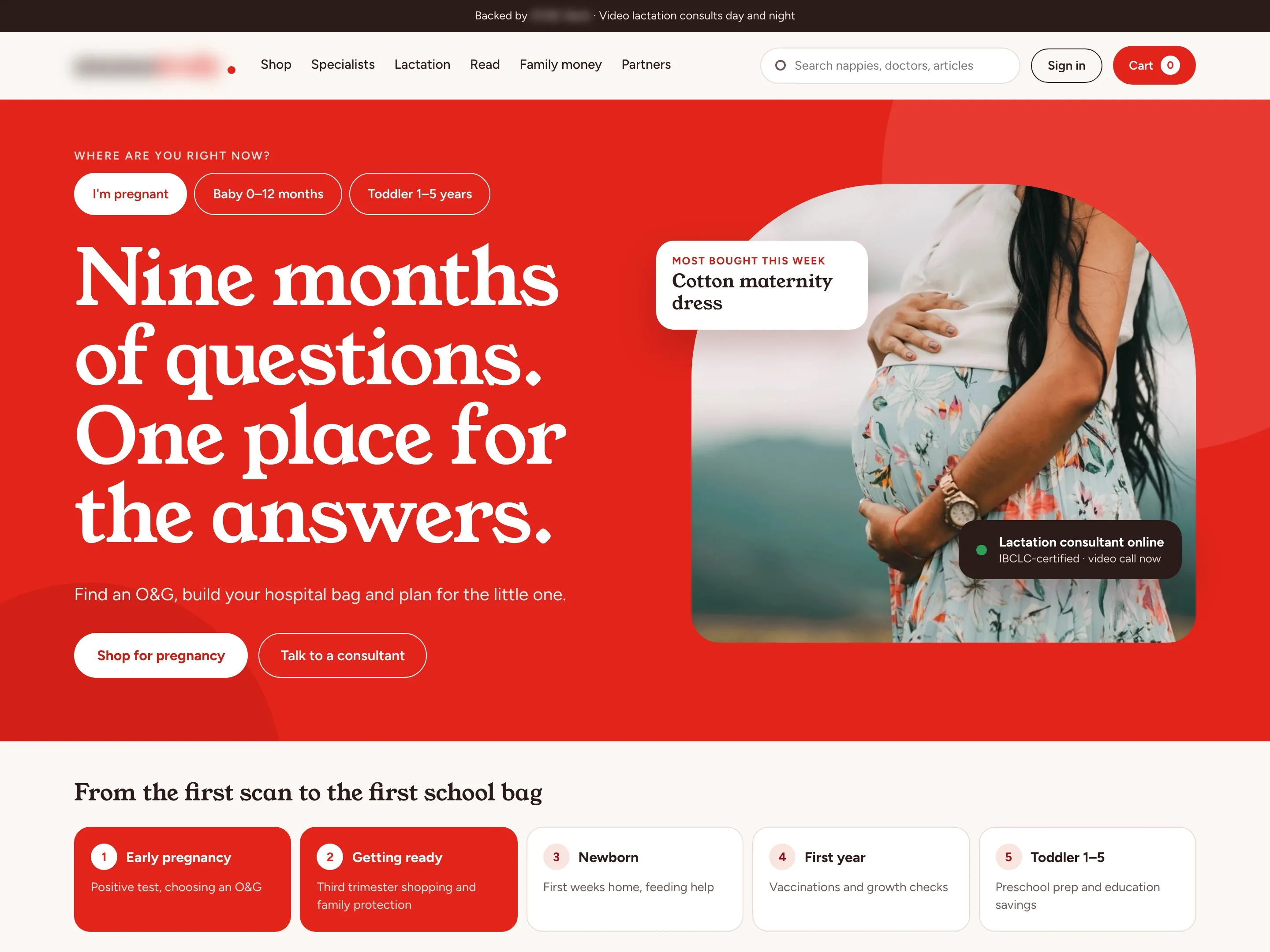
- The home page opens by asking where she is: pregnant, baby 0–12 months or toddler 1–5 years. Her answer changes the headline, the photo, the buttons and the product bought most that week. A mum-to-be sees the pregnancy shop and help with finding an O&G.
01 / 07 · 2 of 8
Feeding help up front for new mums
- What we built
- For a baby under one, the banner leads with nappies and formula from the retail partners, and a badge shows when a lactation consultant is online. The product new mums bought most that week sits on the photo.
01 / 07 · 3 of 8
Toys and the school years for toddlers
- What we built
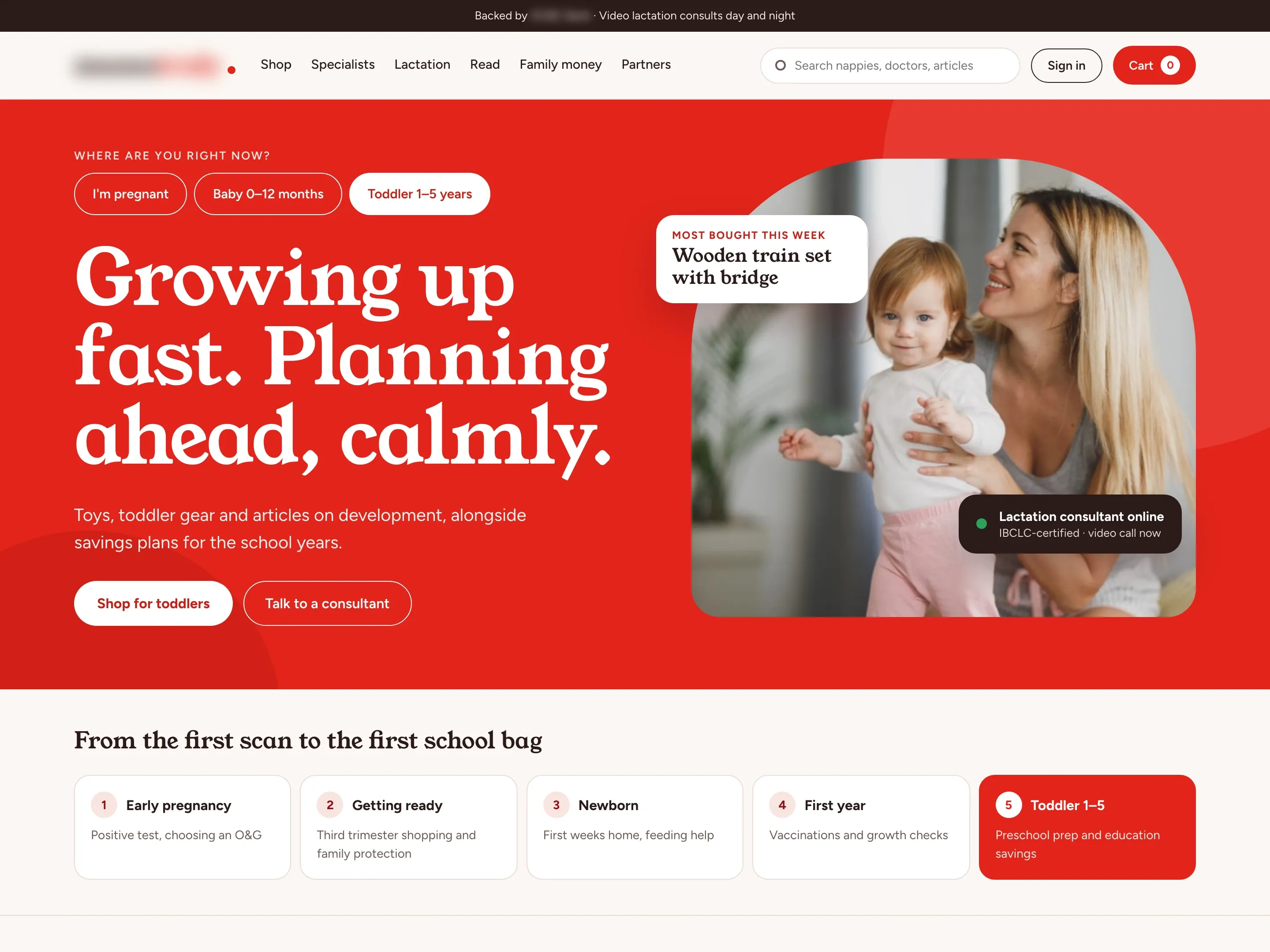
- From one year old, the banner turns to toys, toddler gear, articles on development and savings plans for the school years.
01 / 07 · 4 of 8
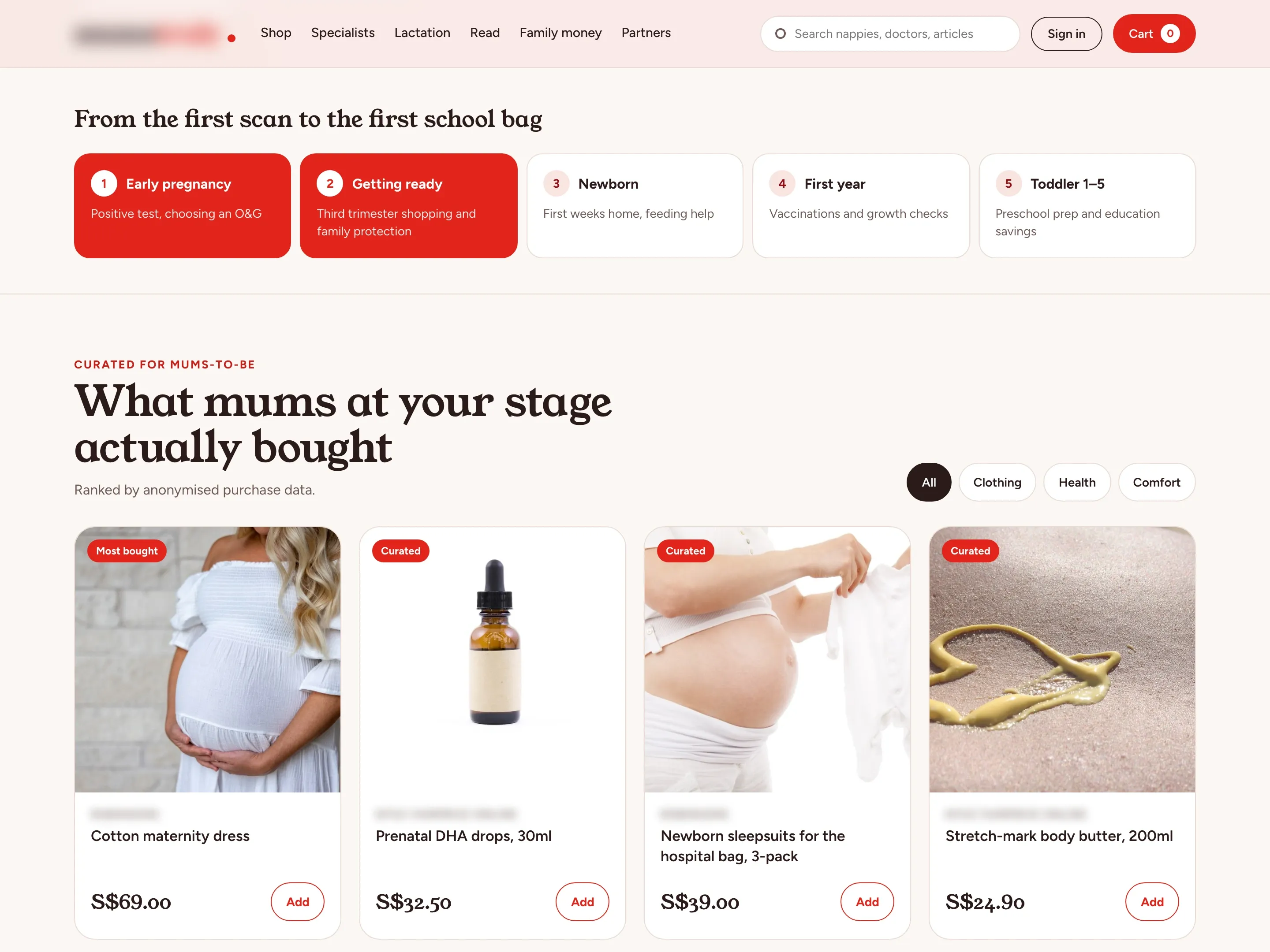
What mums at her stage bought
- The problem
- Mums were to see fewer, more relevant products, ranked by anonymised account and purchase data.
- What we built
- Five steps run from the first scan to the first school bag, with hers lit. Under them, four products are ranked by what mums at the same stage bought, with a filter for each category.
01 / 07 · 5 of 8
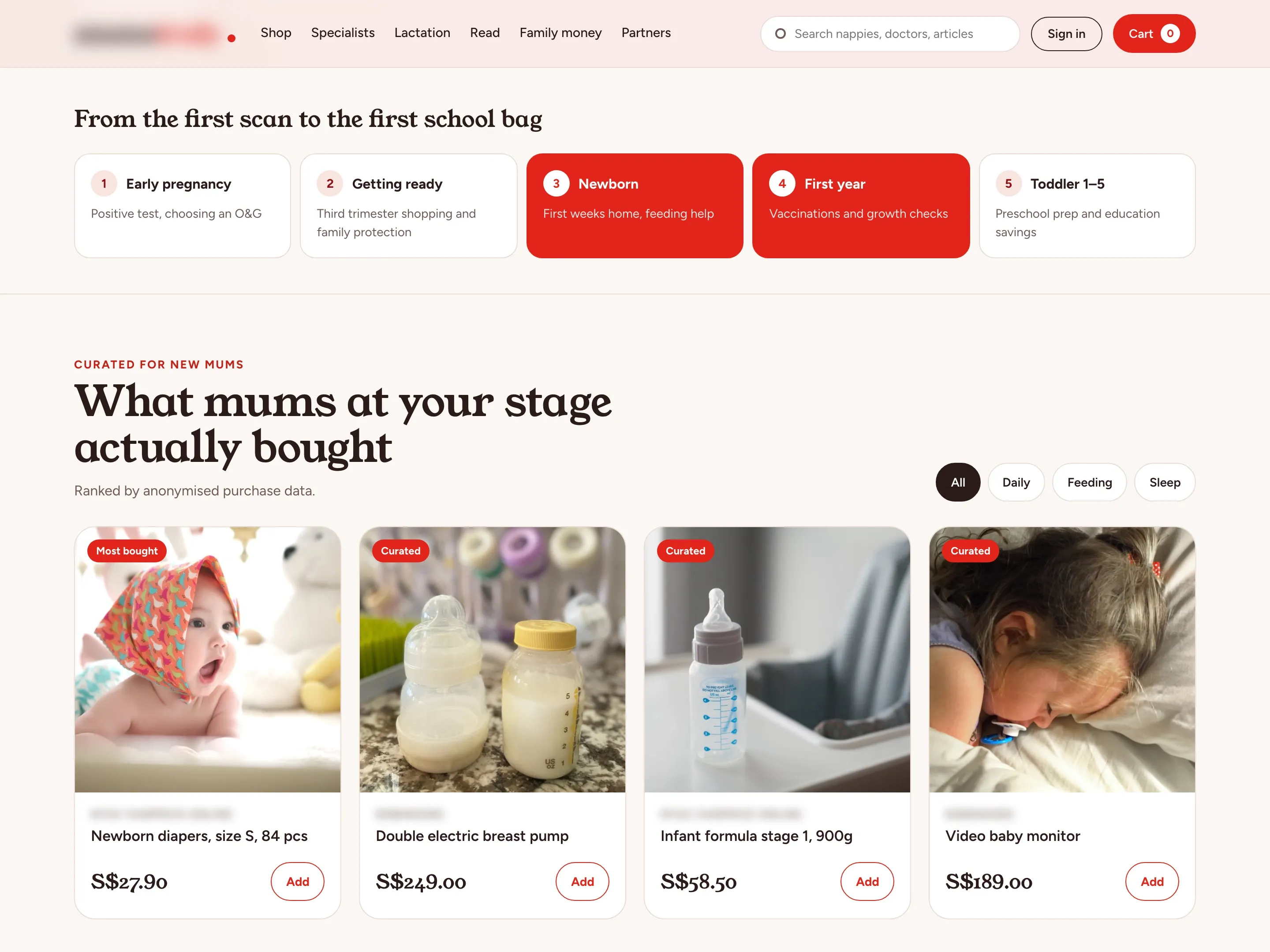
Prices and stock from the partners’ own feeds
- What we built
- For a new mum the newborn and first-year steps light up, and the picks turn to nappies, a breast pump, infant formula and a video baby monitor. Prices and stock come from each retail partner’s feed, and every pick goes into one cart.
01 / 07 · 6 of 8
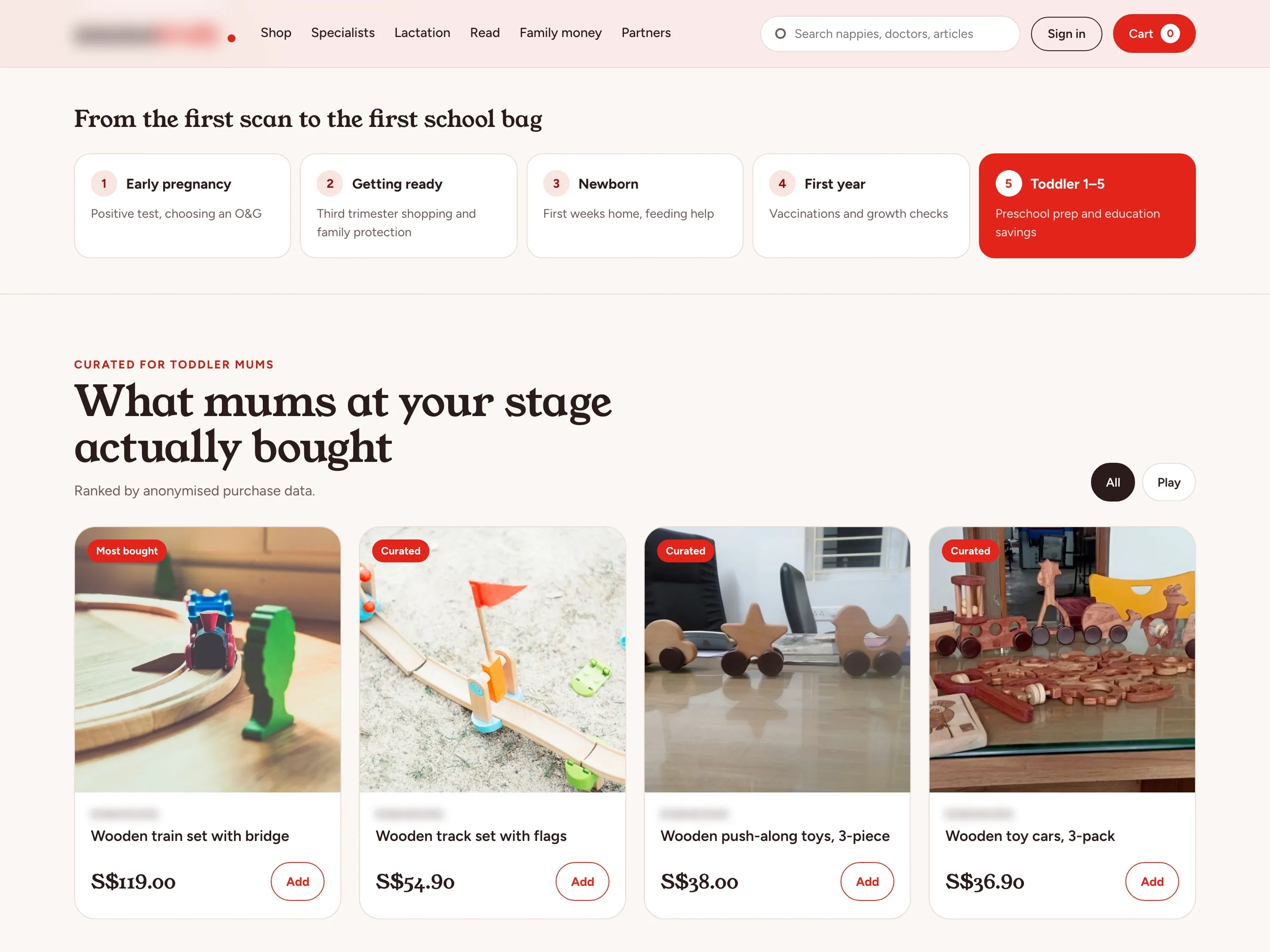
Consultations kept out of the ranking
- The problem
- Consultation data could not be used to choose products without the mum’s consent.
- What we built
- For a toddler only the last step lights up, and the picks move to wooden trains, tracks, push-along toys and cars. Consultations and bookings stay out of the ranking unless the mum agrees.
01 / 07 · 7 of 8
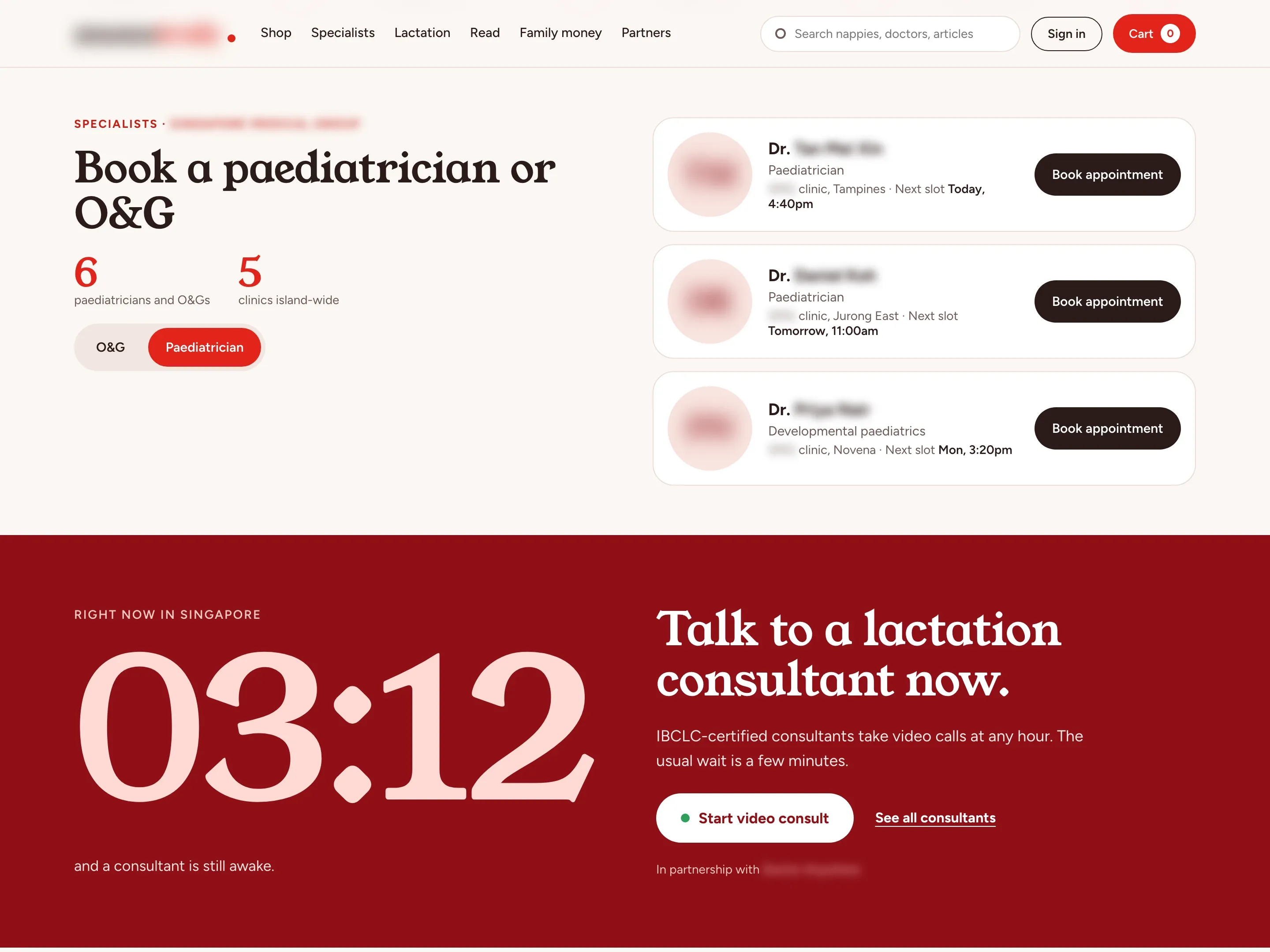
Specialists by next slot, lactation help at night
- The problem
- Expert help had to be easy to reach at any hour.
- What we built
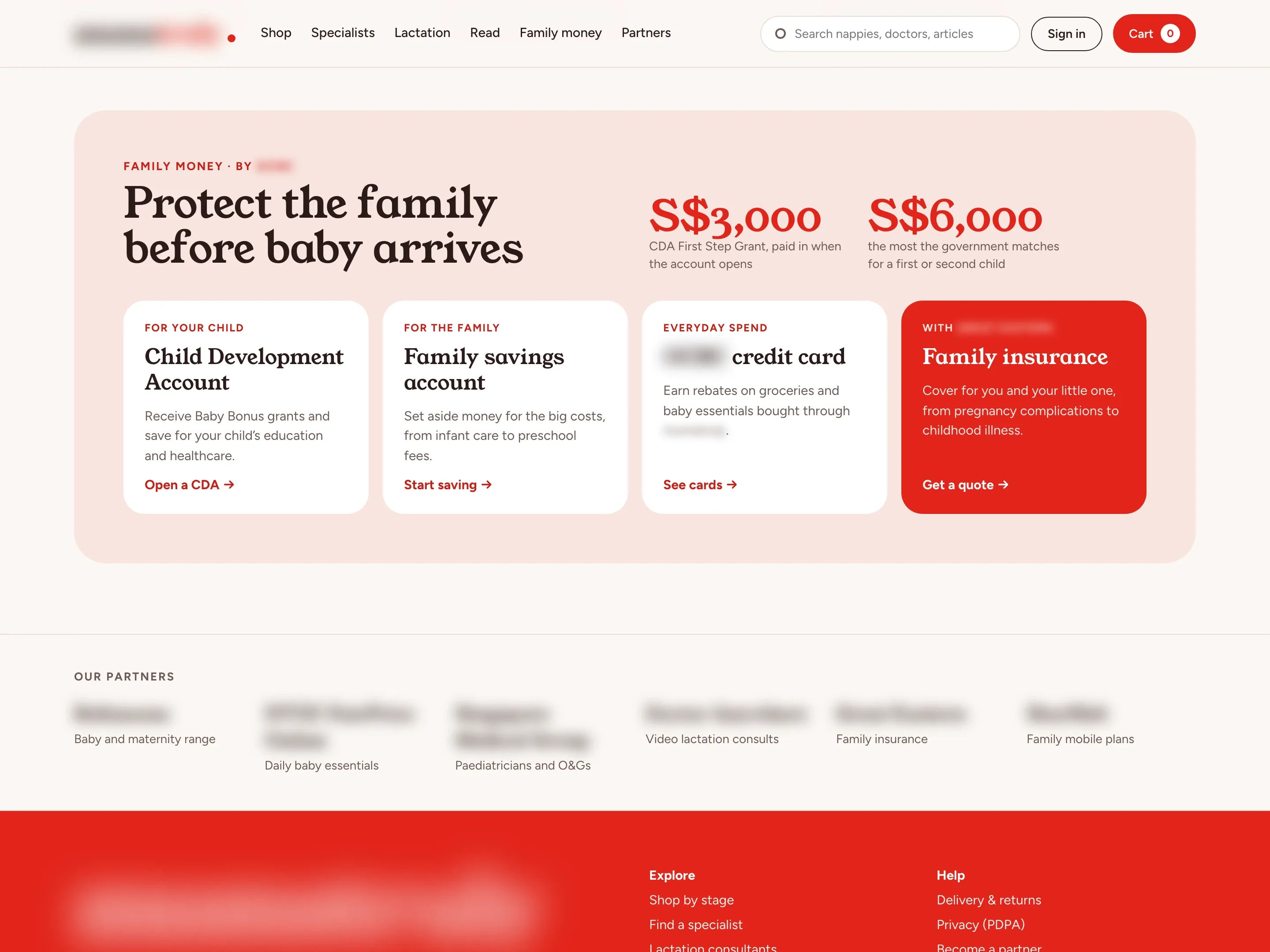
- Paediatricians and O&Gs from the partner clinics show their clinic and next free slot, each with a booking button. Below them, the night section shows the time in Singapore and a button that queues her for the next free IBCLC consultant. We built that queue and the specialist bookings. The video call itself comes from a telehealth partner and was built by another agency.
01 / 07 · 8 of 8
The family account that fits her stage
- What we built
- Family money shows the CDA First Step Grant and the government match, then cards for a Child Development Account, family savings, a credit card and insurance from the bank’s partner. The card for her stage is picked out: family insurance during pregnancy, the Child Development Account for a baby and family savings for a toddler.
02 / 07
One search across shop, consultants and articles
- The problem
- Products, specialists, lactation support and articles came from different partners and had to sit together in one place.
- What we built
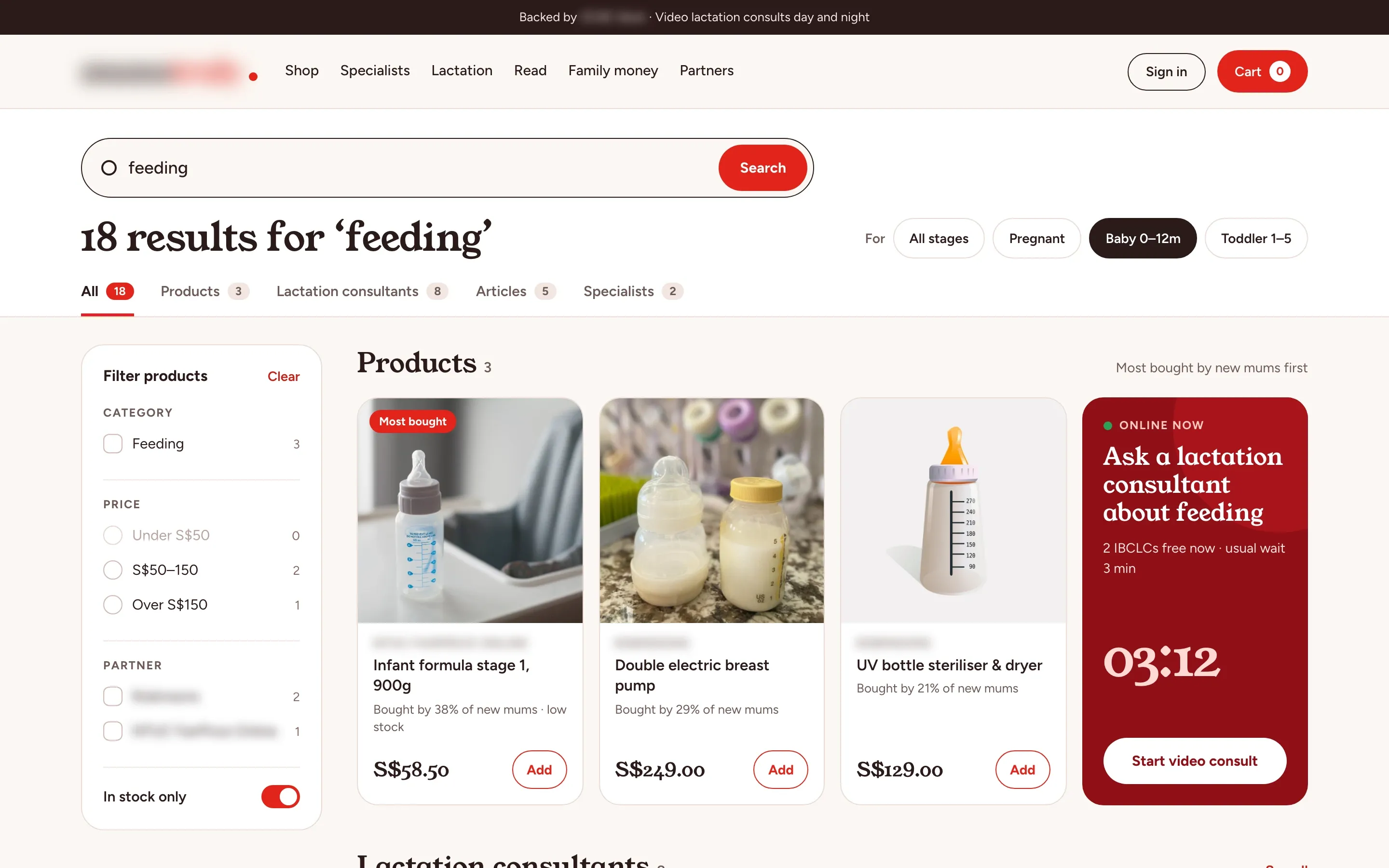
- One search covers partner products, lactation consultants, specialists and articles, with a tab and a count for each. Results follow her stage, every product shows the share of mums at that stage who bought it, and filters for category, price, partner and stock sit beside them. When consultants are free, a card beside the products shows how many and the usual wait.
03 / 07
Consultants by skill, language and shift
- What we built
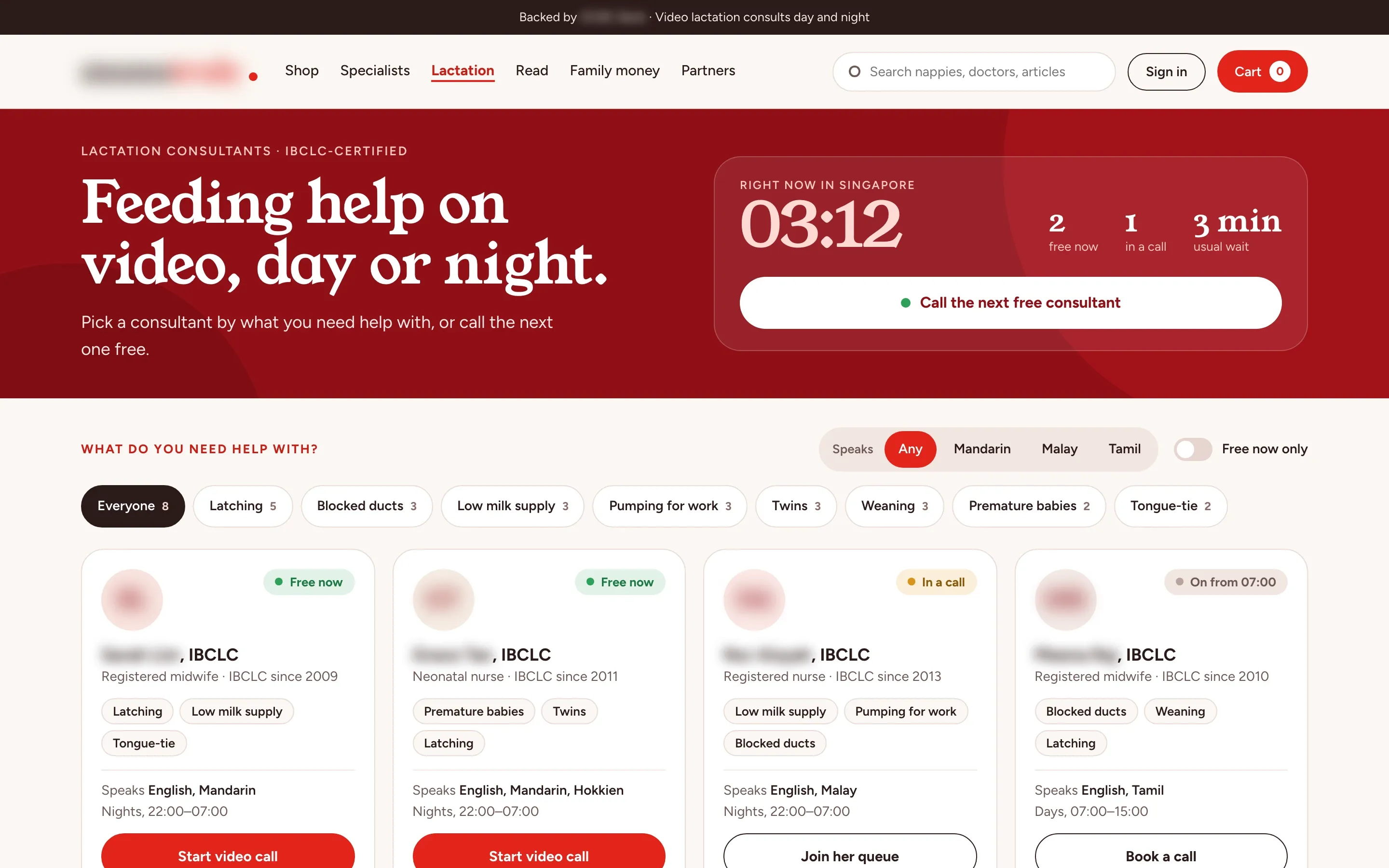
- Every IBCLC consultant is listed with what she helps with, the languages she speaks and her shift. Mums filter by a problem such as latching, low supply or pumping for work, or by language, and the panel on top shows how many are free and the usual wait. One button joins the queue for the next free consultant, and a consultant who is off shift can be booked for when she starts.
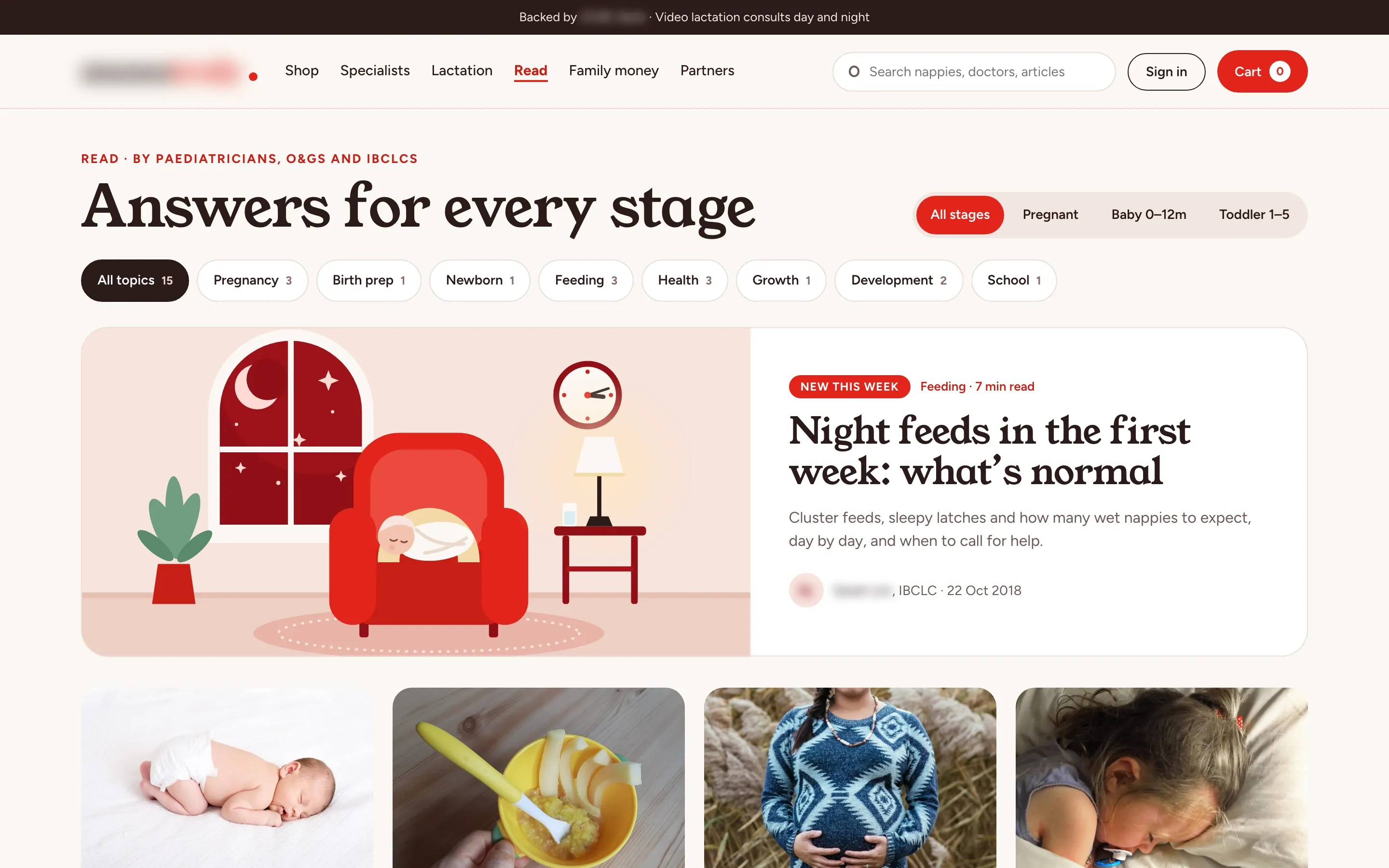
04 / 07
Articles by doctors, filtered by topic
- What we built
- Paediatricians, O&Gs and IBCLCs write the articles, and a paediatrician reviews each one before it goes live. Mums filter by stage and by topic, from pregnancy to school, with the number of articles on each chip, and the newest piece leads the page.
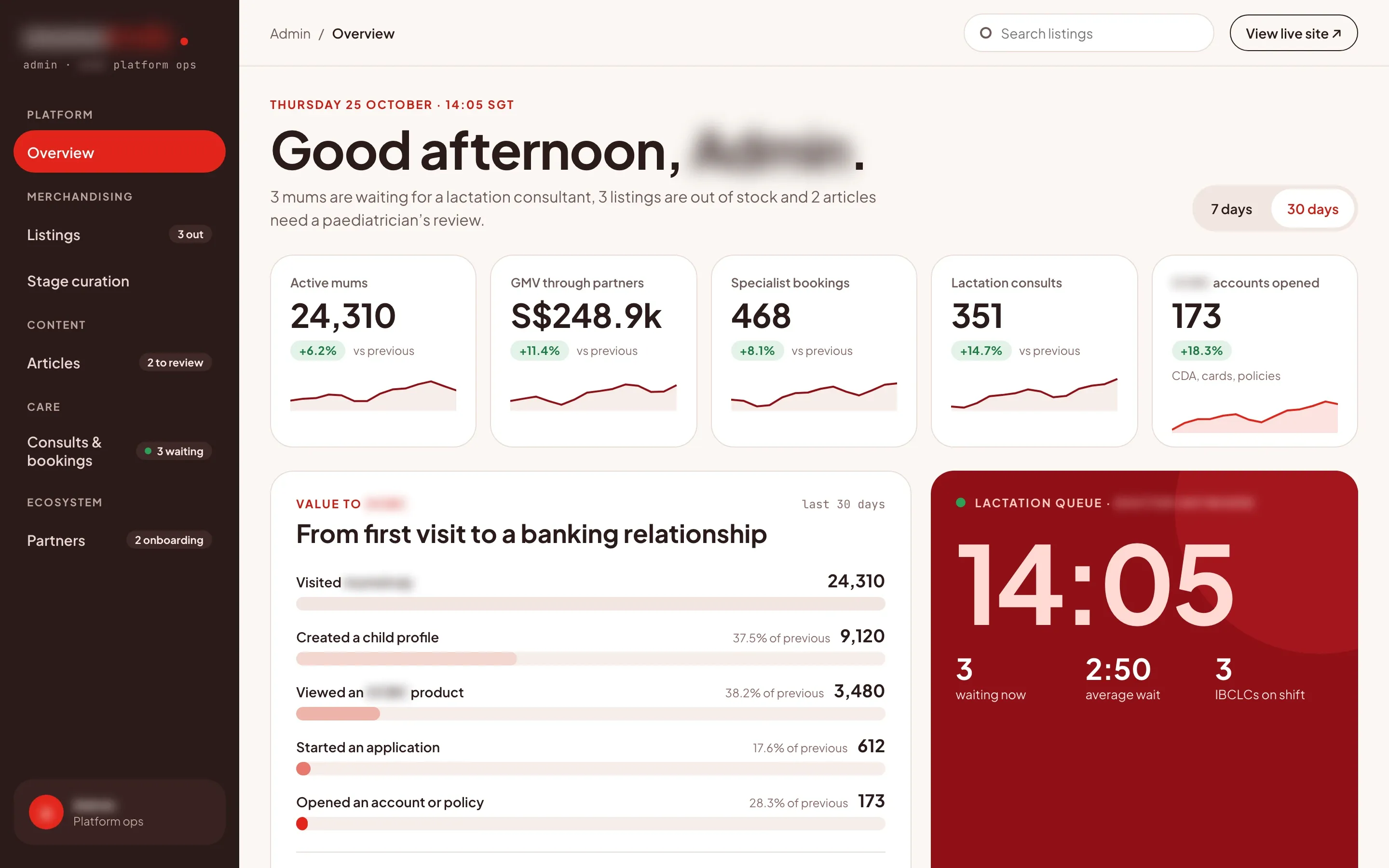
05 / 07
From first visit to a bank account
- What we built
- The ops console opens on the period’s figures for active mums, partner sales, specialist bookings, lactation consults and accounts opened. Below them, a funnel follows visits through a child profile, a bank product viewed and an application to an account or policy opened, with the live lactation queue beside it.
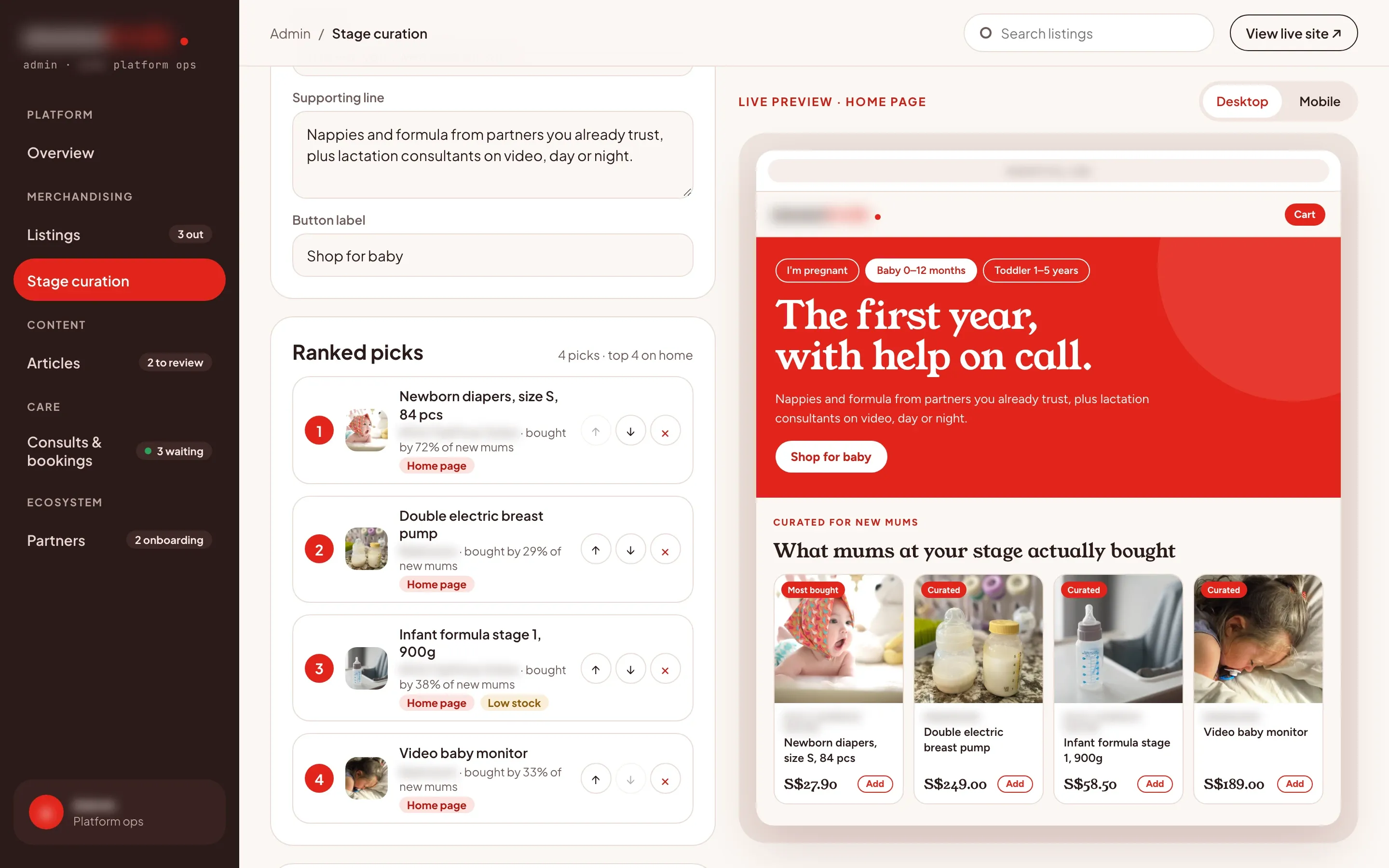
06 / 07
Picks curated per stage, previewed live
- What we built
- Staff rank the picks for each stage, edit the headline, the supporting line and the button, and see the home page change in a desktop or mobile preview before they publish. Each pick shows the share of mums at that stage who bought it, and low stock is flagged.
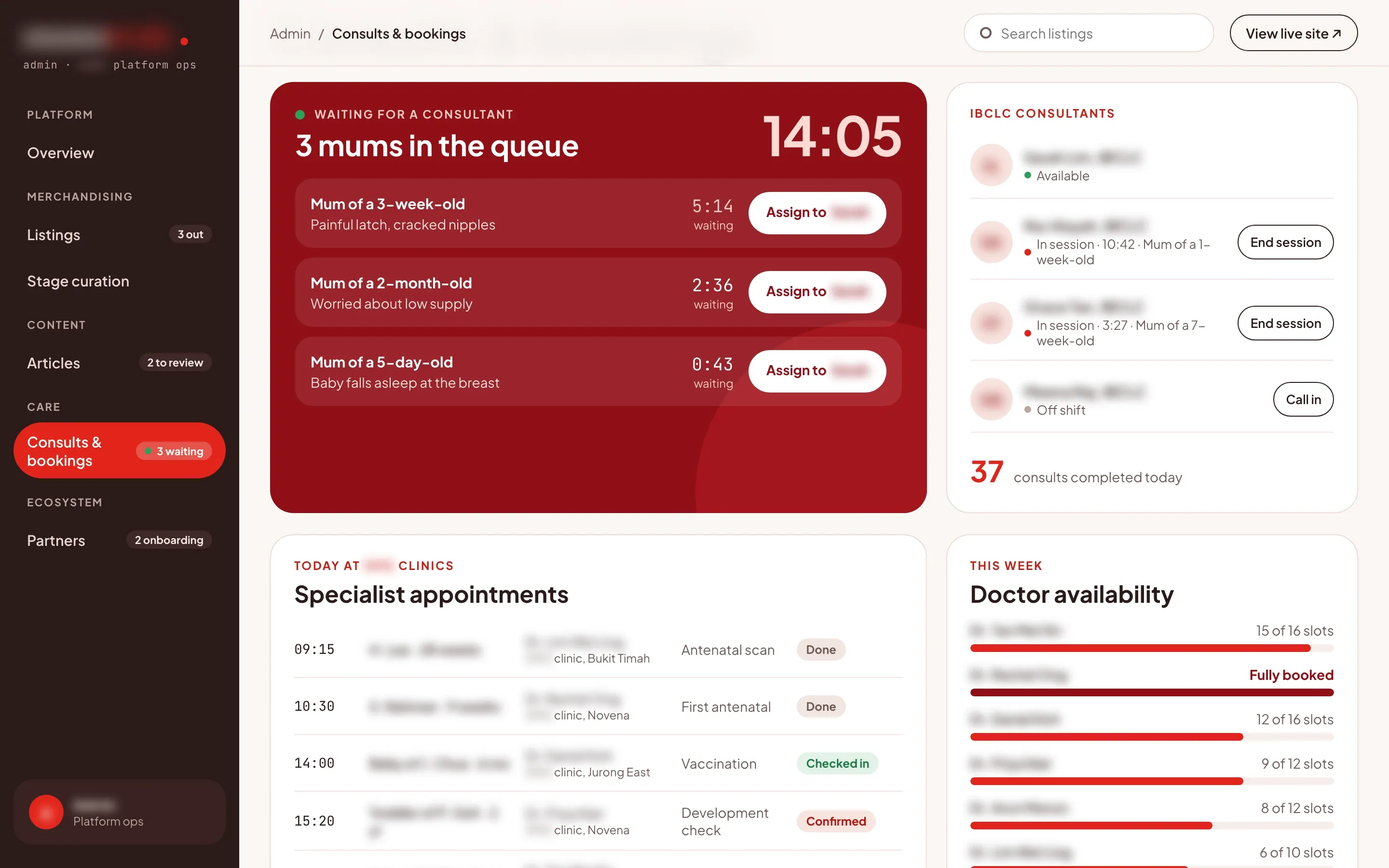
07 / 07
The consult queue and clinic bookings in one view
- What we built
- Ops see each mum waiting for a lactation consultant, with her baby’s age, what she needs help with and how long she has waited, and assign her to a consultant on shift. Today’s appointments at the partner clinics sit below, each marked done, checked in or confirmed, next to how many of each doctor’s slots are booked this week.
How the 8-week build went
Listen & prototype
Mapped a mum’s needs from pregnancy to preschool with the bank’s team, then a clickable stage picker, shop and booking flow, revised in week 3 before the build.
Core build
Built the site and the ops console on one catalogue fed by the retail partners, with clinic bookings, a lactation consult queue that calls the telehealth partner’s API, stage curation with a live preview and articles reviewed by paediatricians.
Live & handover
Connected the partner feeds, loaded the first curated picks and articles, then launched and handed over the source code, documentation and admin access.